Sound Human on WhatsApp: How 12Bot Mixes Flows, AI and Your Team
12Bot stacks chat flows, an AI assistant grounded in your knowledge, and a shared inbox that hands the chat to a person so automated WhatsApp replies still sound like your shop.
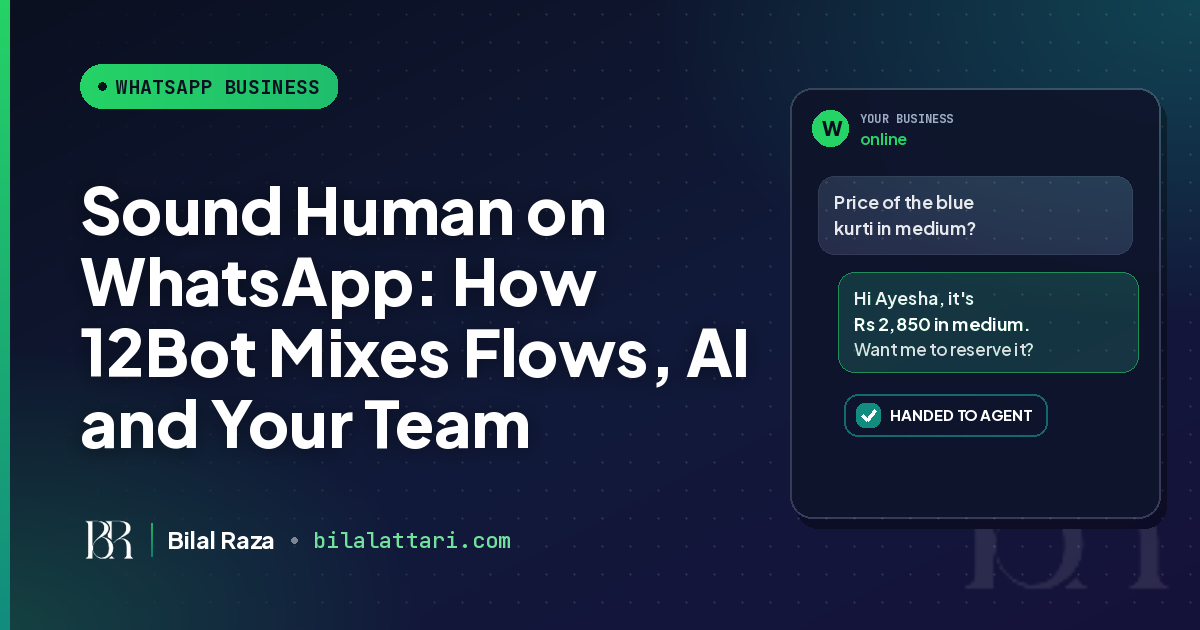
Your customers do not mind that some WhatsApp replies are automated. They mind when the reply ignores what they just typed. "Price of the blue kurti in medium?" followed by "Please choose from the menu: 1. Products 2. Support 3. Talk to an agent" is how a useful tool starts to sound like a robot.
12Bot is built so a team can automate WhatsApp, Instagram and Facebook without leaving customers in that loop. Chat flows handle the questions you already know. An AI assistant answers the long tail from your own knowledge. When the bot cannot help, or the customer asks for a person, the chat moves into your shared inbox and the bot steps aside.
This post is about that mix: how to set the three layers so the replies still sound like your shop.
Why automation turns robotic
Most robotic chats share the same mistakes. The first message is a generic welcome instead of an answer. The customer is forced through a numbered menu they did not ask for. There is no path to a person, or the path exists and nobody picks it up. Worst of all, the bot keeps talking after an agent has already joined.
A human-sounding setup does three things. It answers the question that was asked. It uses your words, prices and hours. And it hands the conversation to a teammate the moment judgment is required.
Three layers that work together
You do not have to choose between a flow, AI and a person. In 12Bot they stack.
| Layer | What 12Bot does | How it stays human |
|---|---|---|
| Chat flows | A visual builder with Send a Message, Ask a Question, Send Buttons, Show a List, If/Else, Create Lead, Create Order and Handoff to Agent. Triggers include a keyword, a pattern, an AI-detected intent, a web event, or every message. | Answer what they asked. Use buttons instead of "reply 1, 2 or 3". Dry-run the flow before you publish it. |
| AI replies | An assistant that answers from the documents, Q&As and website you give it, on WhatsApp, Instagram and Facebook. You set the bot name, personality and language, including English and Urdu. | It uses your prices and policies, not guesses. When it cannot answer, it hands the chat to your team. |
| Human handoff | The chat can move to a Handoff status, be assigned to an agent, and keep its full history. Agents can leave private internal notes. | The bot pauses on handed-off chats so it does not talk over your agent. |
We have already written separately about the visual flow builder, how the AI assistant covers support around the clock, and how the shared inbox lets a whole team use one number. The rest of this post is about using them together.
Write flows that answer, not menus
Hours, menus, delivery areas and "do you have this in black?" should live in a flow. Those answers should not change from one chat to the next, and you do not need AI to rephrase them.
Open with the topic the customer already named ("Looking for today's menu? Here it is."). Let them tap a button or pick from a list instead of replying 1, 2 or 3. Remember their name, city or item with variables so you do not ask twice. Finish with a clear next step, or a Handoff to Agent block.
12Bot's builder includes templates for an online store, school admissions, a car dealership and general inquiries. You can dry-run a flow, then publish or unpublish it, and keep version history. If you later need to talk to your own software, the Call an API block is there. Developers are only needed for that extra connection.
Teach the AI your voice, then let it handle the long tail
AI is for the questions you cannot list in advance. "Do you deliver to Gulberg after 10pm?" and "Can someone bring it to DHA tonight?" are the same intent in different words. Building a keyword for every suburb becomes messy. This is where the AI chat assistant helps.
Teach it once from your files, written Q&As or website. Replies stay grounded in that knowledge, so the bot talks about your real prices and policies. Set the bot name, personality and language behaviour, including English and Urdu, so the tone matches how your team already writes. When it cannot answer, it hands the conversation over instead of guessing.
Keep prices, delivery rules and refund policies in the knowledge you upload, and treat anything outside that as a handoff. If a customer asks whether they are talking to a bot, do not invent a fake staff member. A clear handoff builds more trust than a persona that later slips.
Hand off before the bot gets in the way
WhatsApp's Business Messaging Policy allows automation while the 24-hour customer service window is open, and it requires prompt, clear, direct escalation paths, such as an in-chat transfer to a human agent. 12Bot is built around that idea.
The shared inbox can move a chat to a Handoff status, put it in the unassigned queue or auto-assign it, and show your team the full history. Agents reply with text, images or voice notes from the web dashboard or the mobile app. When WhatsApp's window has closed, they can send an approved template. A 24-hour window indicator on the conversation makes that timing visible.
The detail that protects the tone is this: the bot pauses on handed-off chats, so it never talks over your agent. Use that handoff for complaints and refunds, custom quotes, payment exceptions, anything the bot is unsure about, and any time the customer asks for a person. WhatsApp also says not to share or ask for full payment card numbers or other sensitive identifiers in chat, so those moments belong with a trained teammate.
Test it the way a customer will see it
Write a short tone note that both your flows and your AI follow: how you greet people, whether you mix Urdu and English, how you write prices, and which topics are never answered automatically. Dry-run every new flow. Message your own number and try the awkward cases: a complaint, a question you did not document, and "I want to talk to someone."
If the first reply answers the actual question, the FAQ paths are short, and a person can take over without the bot interrupting, you are automating WhatsApp without sounding like a robot.
Start automating WhatsApp replies with 12Bot
12Bot is an omnichannel workspace for WhatsApp, Instagram and Facebook. Your team manages conversations, CRM, orders and AI automation from one place, on web or mobile. Paid plans include the AI chat agent, and every paid plan comes with a 7-day free trial, so you can connect a channel, teach the assistant your knowledge, publish a flow and test the handoff before you pay.
Monthly AI reply and chat flow limits vary by plan. Check the current numbers on the 12Bot pricing page.
Try 12Bot's AI assistant and flows free for 7 days and see whether your next customer gets an answer that still sounds like your shop.