Know Which Click-to-WhatsApp Ad Brought Every Chat With 12Bot
12Bot records the campaign, ad and headline behind every click-to-WhatsApp conversation, keeps every ad touch, tags leads by campaign, and shows your team which ads bring the conversations.
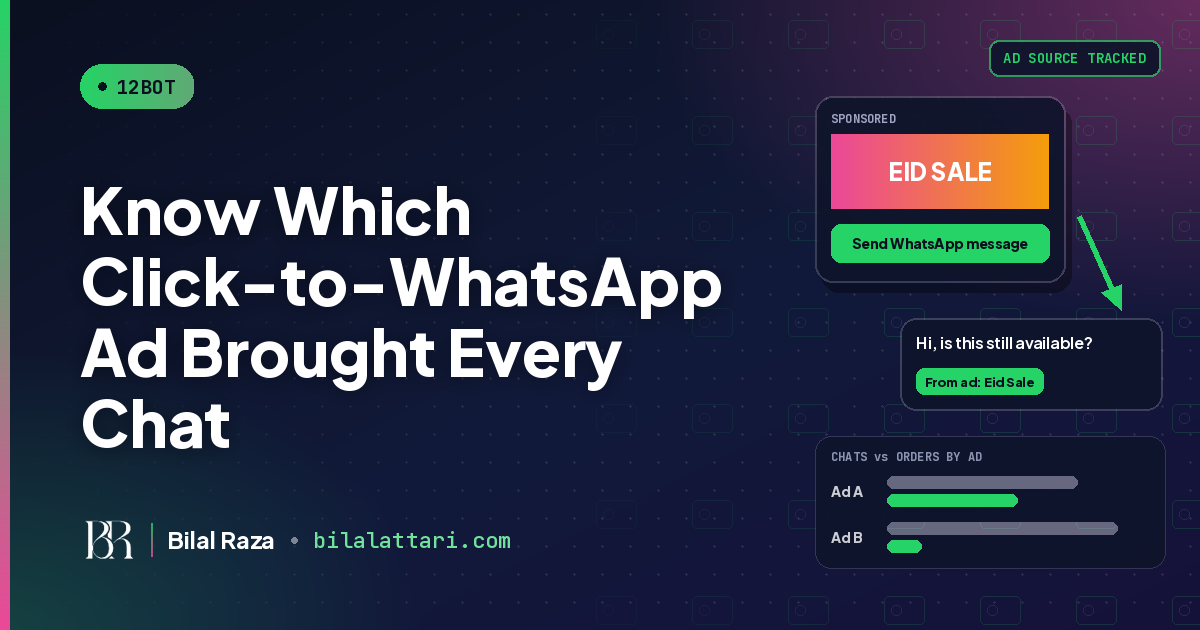
Your click-to-WhatsApp ads are working. Chats are coming in from Facebook and Instagram every day. But when you sit down to decide where next month's budget goes, the inbox cannot tell you which ad brought which customer. 12Bot fixes that by recording the ad behind every conversation the moment it starts.
This post explains how ads attribution works in 12Bot, what your team sees, and how it connects to leads and sales.
The problem: ads start chats, then the trail goes cold
A click-to-WhatsApp ad sends the customer straight into a WhatsApp chat. That is great for conversion, but once the chat opens, the ad platform loses sight of the customer. Meta does attach the ad details to the first message on the WhatsApp Business Platform, but if nothing saves them on the contact, they are lost as soon as the next message arrives.
How 12Bot records the ad behind each chat
Automatic capture on the first message
When a customer messages you from a Facebook or Instagram click-to-WhatsApp ad, 12Bot saves the campaign, ad and headline on that conversation. Nobody has to type anything or ask the customer where they saw you.
Every touch, not just the first
Customers often see more than one ad before they buy. 12Bot keeps a history of every ad interaction for a contact, so you can see the full path instead of only the first or last click.
Automatic tags
Conversations and leads are tagged by ad platform and campaign, for example ads:facebook. That makes filtering, assigning and reporting easy without manual labelling.
What your team sees
Agents see the ad context right in the conversation before they reply, so a customer who came from the Eid campaign gets an answer about the Eid offer, not a generic greeting. Managers get a dashboard showing conversations by ad platform and the top campaigns, so budget decisions follow real conversations rather than clicks.
| Question | Without ad tracking | With 12Bot ads attribution |
|---|---|---|
| Which ad started this chat? | Agent asks the customer, or nobody knows | Saved automatically from the first message |
| Did this customer click more than one ad? | Only the last guess survives | Every ad interaction is kept on the contact |
| Which campaign brings the most conversations? | Ads Manager clicks only | Dashboard by ad platform and top campaigns |
| What should the agent say first? | "How can I help you?" | The agent sees the ad context before replying |
From ad to lead to sale
Attribution is most useful when it sits next to your pipeline. In 12Bot, the ad source stays on the lead as it moves through your stages, so you can compare campaigns by the leads and deals they produce, not just by how many chats they open. If you have not set up your pipeline yet, read how 12Bot turns chats into scored leads.
Set up your campaigns so the data is useful
Tracking works best when each ad is easy to tell apart. A few habits help:
- One offer per ad. If two ads promote the same thing with the same headline, the report cannot tell them apart in a useful way.
- Clear headlines. 12Bot saves the ad headline on the conversation, so a headline like "Eid Sale: 3-seater sofas" tells your agents exactly what the customer wants.
- Matching welcome message. Set a greeting on the ad that fits the offer, so the first reply and the ad feel like one conversation.
- Give it a full campaign. Compare ads after enough conversations have come in, not after the first afternoon.
Who it is for
Any business that spends on Facebook or Instagram ads and sells through WhatsApp chats: online stores, real estate agencies, car dealerships, schools and academies, clinics, and travel agents. If more than one person answers your chats, or you run more than one campaign at a time, knowing which ad brought each customer quickly pays for the effort. It also works alongside the rest of 12Bot: the shared inbox for WhatsApp, Instagram and Facebook, chat flows, broadcast campaigns, and AI replies that hand off to a person.
Keep your current number
Ad details come through the WhatsApp Business Platform, and 12Bot can connect either a fresh number through the Cloud API or the WhatsApp Business app number you already use through Coexistence, so you keep replying from your phone while 12Bot tracks the ads. Since October 1, 2026, Meta makes the first 1,000 service messages per number each month free. Check Meta's pricing page for current rates.
Start tracking your WhatsApp ads with 12Bot
12Bot has a free plan for the Instagram and Facebook inbox, and every paid plan comes with a 7-day free trial, so you can connect your number, run your next click-to-WhatsApp campaign and see which ad brings the conversations before you pay anything.
Try 12Bot ads attribution free and stop guessing which ad brought the customer.